
Kategorier
Vejledning Webinarer og vejledninger - video Workshop

Workshopoptagelse: AI Applications on DeiC Interactive HPC UCloud – Harnessing Hardware & Tools for AI Development

Timestamps:

00:00 – Introduction and welcome
00:50 – Introduction to UCloud
05:27 – DeiC Interactive HPC website
06:07 – UCloud: Log in
07:06 – UCloud: HPC providers on the UCloud platform
11:08 – UCloud: Initial resource allocations in “My workspace”
12:27 – UCloud: Storage in “My workspace”
13:28 – UCloud: Resources and applications for new resource allocations
13:50 – UCloud: Completing the resource application
21:05 – UCloud: Resource pools and limits (what does it cost?)
23:05 – UCloud: Apps, the app store, applications index in UCloud docs
26:00 – UCloud: Advanced use cases and integration patterns

27:45 – UCloud: Transcriber: Intro and resource needs
30:08 – UCloud: Transcriber: Uploading files inside a project
31:20 – UCloud: Transcriber: Finding and launching Transcriber
32:00 – UCloud: Transcriber: Run Transcriber for the first time (Completing the app launch screen)
34:28 – UCloud: Transcriber: Running multiple Transcriber jobs simultaneously
35:00 – UCloud: Transcriber: Import previous Transcriber job parameters
35:35 – UCloud: Transcriber: Opening running jobs from the “Recent runs” pane
37:15 – UCloud: Transcriber: Transcriber output directories (Jobs folder)
38:26 – UCloud: Transcriber: Transcriber outputs in “Recent runs”
39:54 – UCloud: Transcriber: Output inspection and data download of zip file

41:36 – UCloud: Chat UI: Introduction
43:27 – UCloud: Chat UI: Run Chat UI for the first time (Completing the app launch screen)
48:40 – UCloud: Chat UI: First look at the Chat UI interface (disable new sign-ups and download a model)
52:36 – UCloud: Chat UI: Including documents to support Retrieval Augmented Generation (RAG) (i.e. supplementing the model with an additional document)
57:18 – UCloud: Chat UI: Extend the job time on any UCloud job (if needed)
58:28 – UCloud: Chat UI: Text-to-image generation (stable diffusion with a standard LLM model)
1:01:45 – UCloud: Chat UI: RAG for (best guess) document summarization (beware of model hallucinations)

1:04:45 – UCloud: Label Studio: Introduction
1:05:15 – UCloud: Label Studio: Run Label Studio for the first time (Completing the app launch screen)
1:07:55 – UCloud: Label Studio: First look at the Label Studio interface
1:09:40 – UCloud: Label Studio: Brief view of the Label Studio documentation
1:10:52 – UCloud: Label Studio: Introduction to the coming “Speech Analyser” application
1:15:45 – UCloud: Label Studio: Documentation

1:16:08 – Conclusion

Kategorier
Undervisning Vejledning

Webinar 30/4: Introduktion til UCloud Courses

Undervisere, sæt kryds i kalenderen den 30. april!

DeiC Interactive HPC-konsortiets partnere har arrangeret et online webinar om det nyudviklede koncept UCloud kurser.

Webinaret er åbent for undervisere/forskere fra alle danske universiteter.

Hvis du allerede nu ved, at du gerne vil bruge UCloud til et kursus i efteråret 2025, er det nu, du skal deltage.

I dette webinar vil vi komme ind på:

  • Det nyudviklede koncept for UCloud-kurser
  • Fordelene ved at afholde universitetskurser på UCloud
  • Ansøgningsproceduren for undervisere (front office-support, finansieringsmodel m.m.)
  • Underviseres erfaringer med at afholde kurser på UCloud
  • Spørgsmål og svar (Q&A)

Detaljer:

Dato: 30. april 2025
Tid: 13:00 – 14:00
Varighed: 1 time
Sprog: Engelsk

Se optagelsen fra webinaret

Kategorier
Interactive HPC Supercomputing UCloud UCloud driftsstatus Vejledning

No More Waiting for Resources

Streamline your workflow when using DeiC Interactive HPC

Have you ever experienced delays due to high demand for computing resources on UCloud (DeiC Interactive HPC)? The key to faster access and reducing system strain is efficient resource management.

Over-requesting can lead to unnecessary waiting because DeiC Interactive HPC operates by allocating resources to users as the requested resources become available, without the use of priority queues. Consequently, if you select a large machine for a relatively small task, you will need to wait for other tasks requested for these larger but fewer machines to finish, leading to prolonged waiting.

“Users with little or no experience in assessing the amounts of resources needed have a tendency to request more than they actually need.  This causes unnecessary queues and frustration for other users. However, we also see experienced users choosing the large machines simply out of habit instead of starting small, and subsequently migrate to a larger machine only when necessary.”

Jes Elgin, Cloud Engineer at DeiC Interactive HPC

To avoid delays, users need to accurately assess and request only the necessary resources for their task. Starting with conservative estimates can expedite access and improve overall system efficiency.

“Choosing small will always give you a head start as there are more small machines, and you can always upgrade to a large machine if you need it. You don’t have to start over, and you won’t lose any data.”

Jes Elgin, Cloud Engineer at DeiC Interactive HPC

So, choose your machine based on a qualified estimate of resources needed. If unsure start small and seek advice from experienced colleagues or the DeiC Front Office.

For optimal use of interactive HPC and to enhance your research, consult our guide on Interactive HPC Best Practices.

Kategorier
Interactive HPC Supercomputing UCloud UCloud driftsstatus Vejledning

New way to use SSH for accessing apps on Interactive HPC 

One minute! 

That’s how long it took to set up the new SSH access to DeiC Interactive HPC applications. 

If SSH is of interest to you, you probably know that DeiC Interactive HPC applications have recently experienced limitations in providing a reliable and scalable solution for accessing their services using Secure Shell Protocol (SSH).

The challenges were attributed to a limited number of available IP addresses from the common pool on their platform, along with the implementation of a more scalable solution. The latter proved to be burdensome, as acquiring multiple new IP addresses would not provide the scalability required.
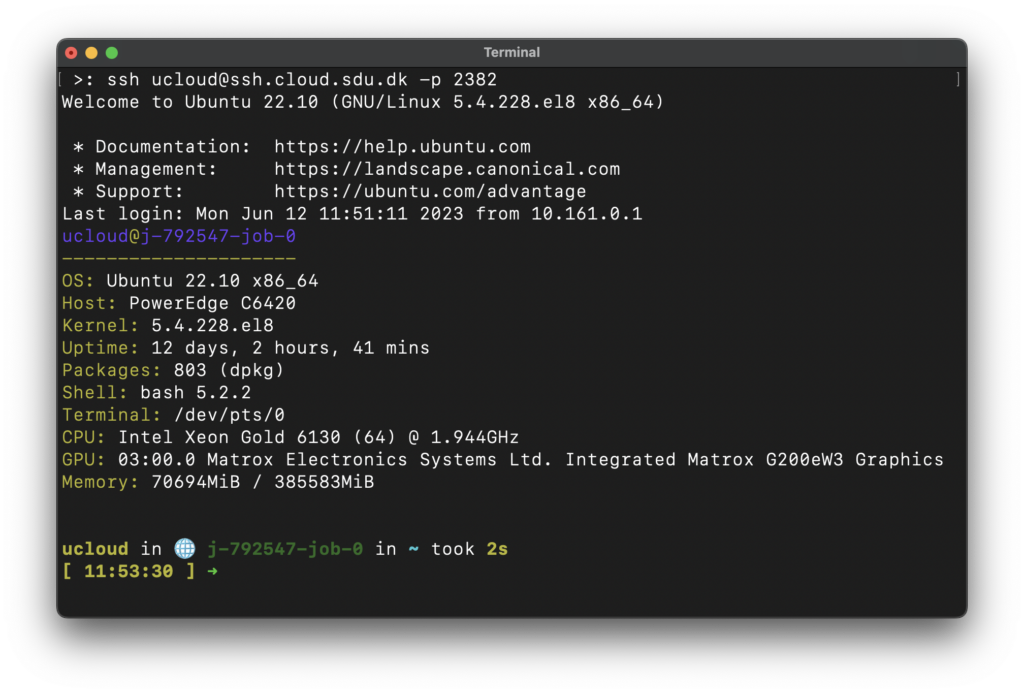
However, DeiC Interactive HPC has launched a new solution for Secure Shell Protocol access that eliminates the need for multiple IP addresses. This new solution is based on ports which are much more scalable. Therefore, users can now access DeiC Interactive HPC applications using SSH with ease.

To access this new solution, users only need to create a private/public key or use an existing one and add the public key to their account at Interactive HPC. Then select one of the supported applications and follow the documentation. Supported applications include AlmaLinux Xfce vJun2023, Rsync v3.2.7, Terminal Ubuntu vJun2023, Terminal Debian vJun2023, Terminal AlmaLinux vJun2023, Ubuntu Xfce vJun2023, and JupyterLab v4.0.2. Soon to be added to this list are RStudio and all the Coder applications.

With this new solution in place, users can now enjoy pure command-line bliss without any limitations or challenges:

Kategorier
Undervisning Vejledning

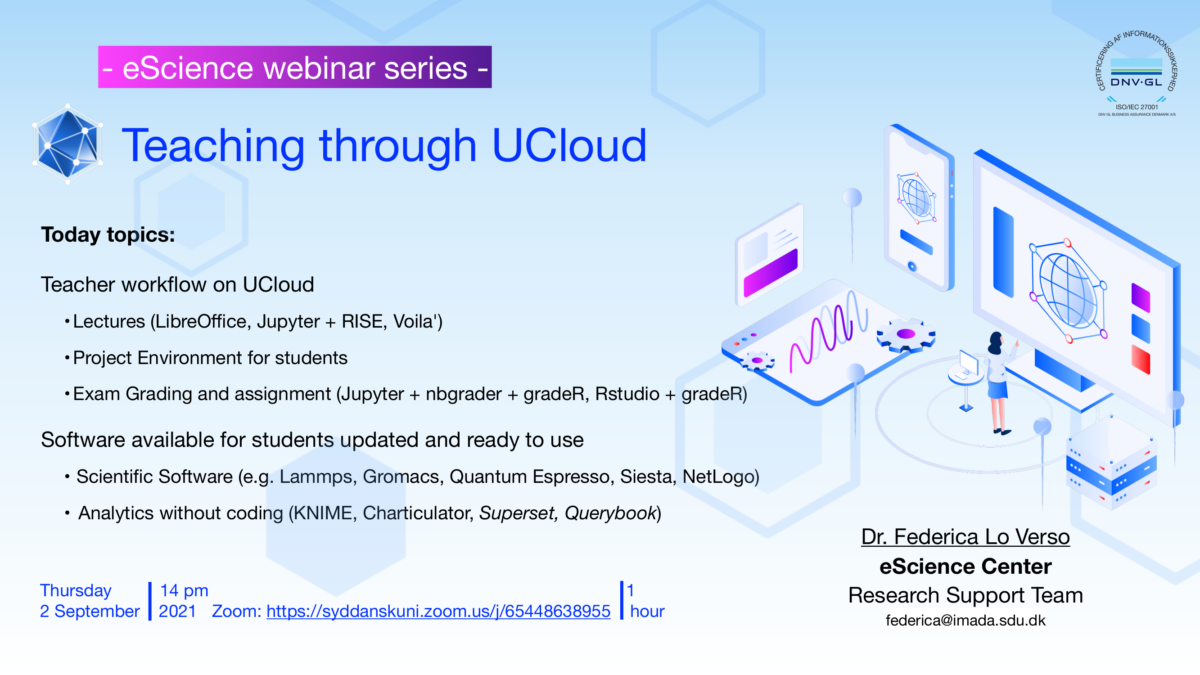
Teaching through UCloud

New webinar on Teaching through UCloud

The webinar aims to show how to utilize UCloud in terms of resources for students and teachers. In particular examples related to project management, software ready to use, assistance in the teacher and student workflows will be discussed.

View the one hour recorded webinar and Q&A from webinar chat.