
Transcriber is one of the most popular apps on UCloud, helping researchers turn audio and video recordings into text directly on UCloud.
Now, Transcriber has been updated with a new web interface and advanced editing features, making it cutting-edge transcription software for working with audio and video recordings directly in UCloud. The update makes it easier to manage, review and edit your transcriptions after they have been created.
What is new?
The updated Transcriber introduces several new features that make it easier to manage and work with your transcriptions:
- A new dashboard that gives you a clear overview of all your transcribed files
- Edit directly in UCloud while listening to the corresponding audio
- Edit speaker names and correct the transcription output
- Add notes to individual sections as you review your material
- Export your edited transcriptions and notes in various formats
A better overview of your transcriptions
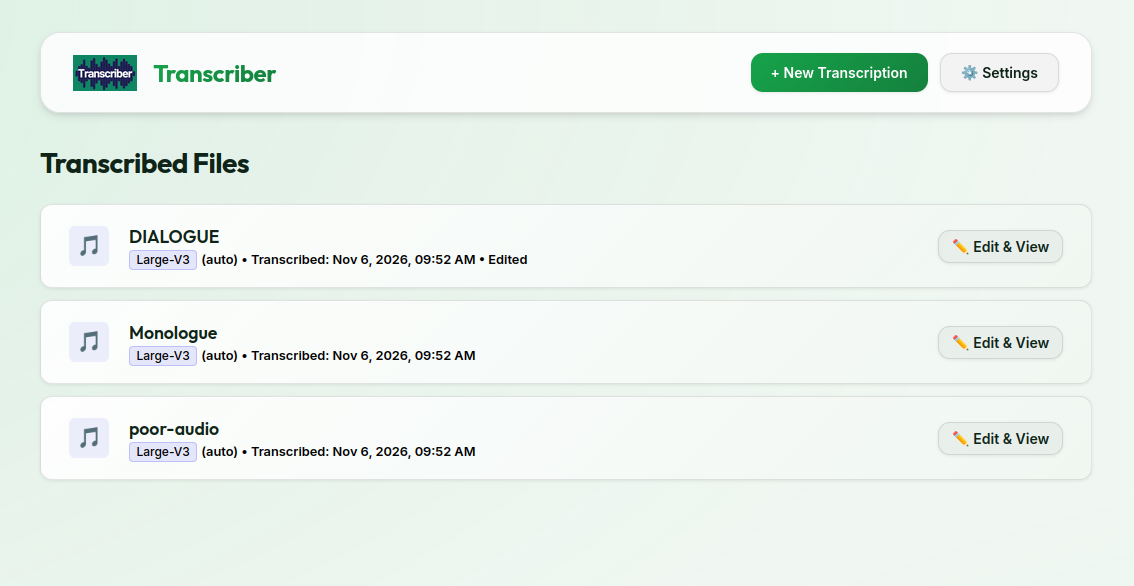
If you work with several transcriptions, the new dashboard makes it easier to keep track of them. Instead of a table with download links, you now get a clearer overview showing the name of each transcription, when it was created and whether edits have been made.
Review and edit while listening
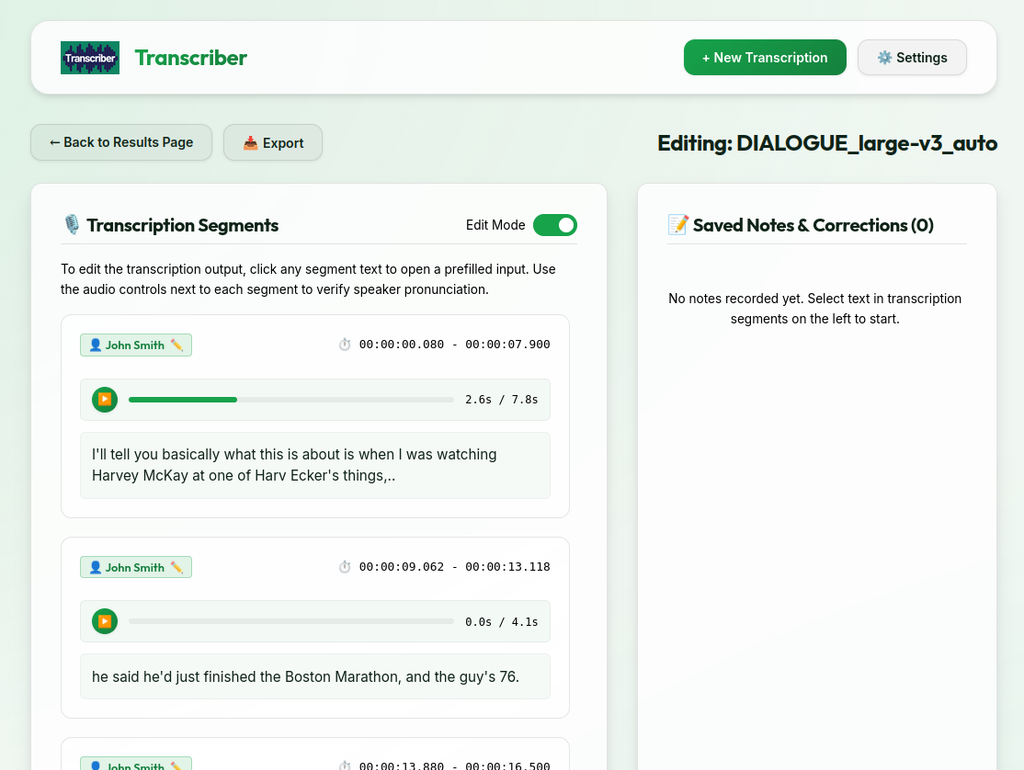
You can now review and edit your transcription directly in UCloud while listening to the corresponding audio.
The transcription is presented in smaller sections, making it easier to follow the recording as you work. You can correct the text, adjust speaker names, and add notes along the way.
Importantly, this happens after the transcription process is complete, so you do not need to keep a GPU running while reviewing and editing your material.
More flexibility when exporting
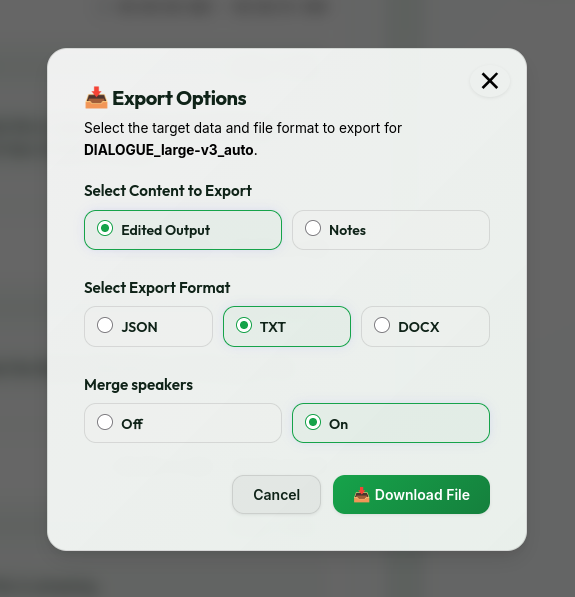
Once you have finished reviewing your transcription, the new export function allows you to export the edited transcription output in various formats and both with and without merging consecutive speakers.
Your original transcriptions remain untouched. Changes are stored separately, so you keep the original transcription while also having your edited version available.
Learn more
Guides and technical details: