Categories
Application Supercomputing UCloud

New app: Manage your next event with Indico

Indico is a robust open-source platform for event organization, archiving, and collaboration, ideal for managing conferences, workshops, and scientific meetings.

Key features include:

  • Event Management: Indico allows you to organize a wide range of events, from small seminars to large conferences. It supports the entire event lifecycle, including registration, abstract and final paper submission.
  • Hierarchical Protection: Indico uses a hierarchical protection scheme that allows for different roles and protection levels within events. 
  • Integration with Collaborative Tools: Indico integrates seamlessly with tools like Zoom, enhancing the productivity of web-driven meetings. 
  • Document Management: Indico facilitates easy upload and retrieval of presentations, papers, and other documents.

Indico has been implemented on UCloud and is ready for use by all UCloud users.

For more details, visit UCloud docs for full documentation.

Categories
Supercomputing Teaching Tutorial UCloud Workshop

Workshop 11/6: UCloud Courses hands-on

Developing your own UCloud course app using a newly developed template-based approach

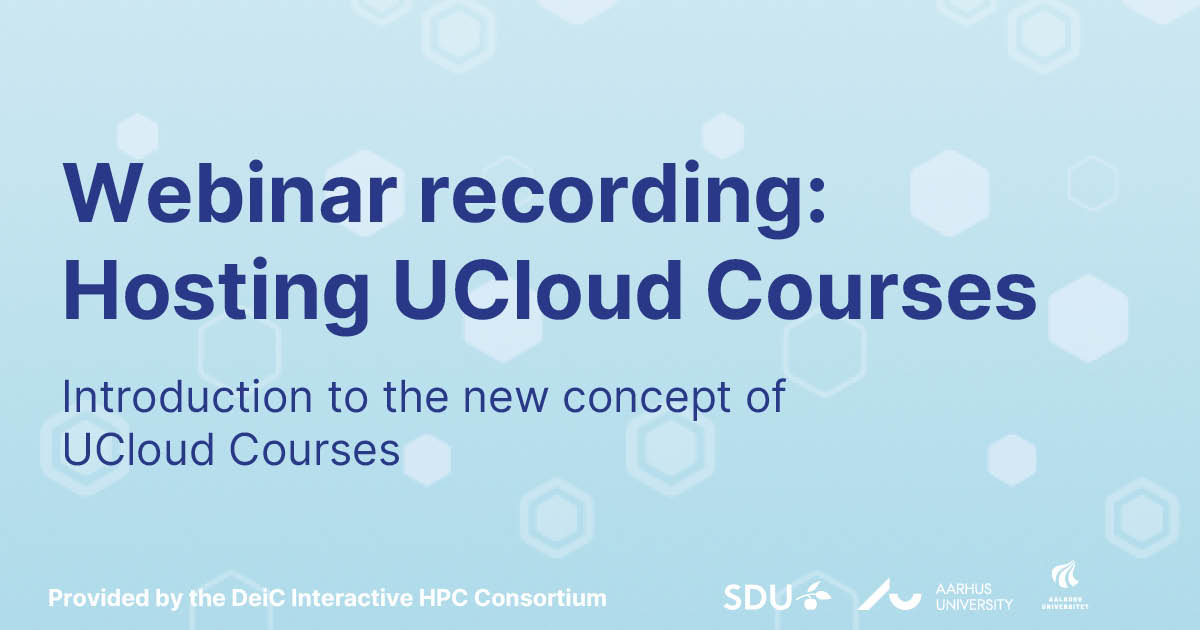
Join us for a hands-on workshop where we guide you through all the steps of developing a UCloud course app using our newly developed template-based approach. The concept involves having a dedicated app on UCloud for your university course that students can use in e.g., exercise/lab session and/or at home. An introduction to the approach can be found in this webinar recording.

In this workshop, you’ll learn how to:

  • Translate your course structure to a structure that is compatible with a UCloud course app.
  • Set up the course development environment which involves cloning the GitHub repository and running a course setup script.
  • Customize the provided templates to build a UCloud course app that includes all required components – software dependencies, scripts, datasets, and more.
  • Test the course on your computer during development to ensure everything functions correctly. We will also see how the final course app looks once it has been put on UCloud.

Git/GitHub and Docker are essential tools in the UCloud course development process. In the workshop, we will give short introductions to both tools primarily aimed at those participants who do not have experience with them. Participants can benefit from following introductory tutorials to Git and Docker in advance, although this is not a requirement.

Date: 11 June 2025

Time: 12:30-14:30 (CET)

Location: Online, via Zoom (link TBA)

Target audience: Researchers and teachers across all departments at all the Danish universities

Technical Level: Basic to Advanced

Sign up for this workshop.

Categories
Application Interactive HPC Supercomputing

New App: Apache Kafka 

Users of DeiC Interactive HPC – UCloud can now access Apache Kafka, a high-performance event streaming platform designed for managing real-time data at scale. 

Kafka deployments on UCloud support multi-node configurations, enabling production-grade distributed logging, stream processing, data integration, and publish/subscribe messaging systems. 

Students and researchers can use Apache Kafka to collect, process, and analyse large volumes of real-time data – for example, streaming data from lab sensors, social media, or web clickstreams. It’s especially useful for building data pipelines in projects involving machine learning, IoT, or real-time analytics, enabling reproducible and scalable research workflows. 

For more details on the Apache Kafka application, visit UCloud docs for the full documentation.


Categories
Application Supercomputing UCloud

New app: Speech Analyzer – A New AI Tool for Dialogue Analysis

With growing demand for transcription/AI services on Interactive HPC – UCloud, Speech Analyzer has been added to the platform.  

Speech Analyzer is a specialised application built on top of Label Studio, optimised for dialogue analysis. It enables users to label, edit, and annotate speech transcriptions generated by the integrated Transcriber engine. It also allows you to share tasks with collaborators. 

Sign up for the free online workshop on transcribing and editing audio transcriptions with the Transcriber and Speech Analyzer apps takes place 22 May.

For more details on the Speech Analyzer application, visit UCloud docs for the full documentation.

Categories
Tutorial Webinars & Tutorials - video Workshop

Workshop Recording: AI Applications on DeiC Interactive HPC UCloud – Harnessing Hardware & Tools for AI Development

Timestamps:

00:00 – Introduction and welcome
00:50 – Introduction to UCloud
05:27 – DeiC Interactive HPC website
06:07 – UCloud: Log in
07:06 – UCloud: HPC providers on the UCloud platform
11:08 – UCloud: Initial resource allocations in “My workspace”
12:27 – UCloud: Storage in “My workspace”
13:28 – UCloud: Resources and applications for new resource allocations
13:50 – UCloud: Completing the resource application
21:05 – UCloud: Resource pools and limits (what does it cost?)
23:05 – UCloud: Apps, the app store, applications index in UCloud docs
26:00 – UCloud: Advanced use cases and integration patterns

27:45 – UCloud: Transcriber: Intro and resource needs
30:08 – UCloud: Transcriber: Uploading files inside a project
31:20 – UCloud: Transcriber: Finding and launching Transcriber
32:00 – UCloud: Transcriber: Run Transcriber for the first time (Completing the app launch screen)
34:28 – UCloud: Transcriber: Running multiple Transcriber jobs simultaneously
35:00 – UCloud: Transcriber: Import previous Transcriber job parameters
35:35 – UCloud: Transcriber: Opening running jobs from the “Recent runs” pane
37:15 – UCloud: Transcriber: Transcriber output directories (Jobs folder)
38:26 – UCloud: Transcriber: Transcriber outputs in “Recent runs”
39:54 – UCloud: Transcriber: Output inspection and data download of zip file

41:36 – UCloud: Chat UI: Introduction
43:27 – UCloud: Chat UI: Run Chat UI for the first time (Completing the app launch screen)
48:40 – UCloud: Chat UI: First look at the Chat UI interface (disable new sign-ups and download a model)
52:36 – UCloud: Chat UI: Including documents to support Retrieval Augmented Generation (RAG) (i.e. supplementing the model with an additional document)
57:18 – UCloud: Chat UI: Extend the job time on any UCloud job (if needed)
58:28 – UCloud: Chat UI: Text-to-image generation (stable diffusion with a standard LLM model)
1:01:45 – UCloud: Chat UI: RAG for (best guess) document summarization (beware of model hallucinations)

1:04:45 – UCloud: Label Studio: Introduction
1:05:15 – UCloud: Label Studio: Run Label Studio for the first time (Completing the app launch screen)
1:07:55 – UCloud: Label Studio: First look at the Label Studio interface
1:09:40 – UCloud: Label Studio: Brief view of the Label Studio documentation
1:10:52 – UCloud: Label Studio: Introduction to the coming “Speech Analyser” application
1:15:45 – UCloud: Label Studio: Documentation

1:16:08 – Conclusion

Categories
Interactive HPC Supercomputing UCloud Workshop

Workshops on AI applications

Join us for three new and free online workshops to explore how these tools can transform your work. Discover AI Applications on DeiC Interactive HPC – UCloud

Workshop 1:

Transcribing and editing audio transcriptions with Transcriber and Speech Analyzer apps

Date: 22 May 2025

Time: 13:00 – 15:00 (CET)

Location: Online, via Zoom (link TBA)

Join us for a hands-on workshop where we guide you through the complete pipeline of transcribing audio files from speech to text and editing and classifying transcription segments.

In this session, you’ll learn how to:

  • Use Transcriber for transcribing audio/video files. Transcriber is based on Open AI’s Whisper language model. The app can transcribe speech audio to text in various formats and uses the WhisperX package to perform speaker recognition.
  • Navigate the new, simple, drag and drop Transcriber user interface to make it easier for you to use AI to transcribe audio files.
  • Edit and classify the transcriptions with Speech Analyzer. Speech Analyzer is an application built on top of Label Studio, specifically optimized for dialogue analysis. It enables you to label, edit, and annotate transcriptions generated using Transcriber.
  • Perform a comprehensive dialogue analysis on UCloud involving transcribing audio files using Transcriber, followed by transcription analysis with Speech Analyzer.

All workflows will be executed inside a UCloud project environment with access to GPU resources.

Target audience: Researchers across all Departments, particularly Digital Humanities and Social Science, Students, AI interested.

Technical Level: Basic to Intermediate.

Sign up for this workshop

Workshop 2:

ChatUI and CVAT pipelines

Date: 27 May 2025

Time: 13:00 – 15:00 (CET)

Location: Online, via Zoom (link TBA)

Join us for a hands-on workshop where we guide you through two different AI based workflows, involving ChatUI and CVAT apps.

In this session, you’ll learn how to:

  • Use Chat UI as a flexible interface for hosting of various LLM models, and interact via a chat or API environment.
  • Use ChatUI for semantic search in a knowledge base.
  • Use CVAT as a powerful annotation tool, including image classification, object detection, semantic and instance segmentation, and video / 3D annotations.
  • Use advanced CVAT features including auto-annotation, algorithmic assistance, management and analytics.

All workflows will be executed inside a UCloud project environment with access to GPU resources.

Target audience: Researchers across all fields, particularly transport, robotics, digital humanities, social sciences, machine learning and students.

Technical Level: Basic to Intermediate.

Sign up for this workshop

Workshop 3:

Fine-Tuning and Deploying  Large Language Models with NeMo Framework and Triton Inference Server

Date: 28 May 2025

Time: 13:00 – 15:00 (CET)

Location: Online, via Zoom (link TBA)

Join us for a hands-on workshop where we guide you through the complete pipeline of fine-tuning large language models (LLMs) for specialized tasks such as medical question-answering!

In this session, you’ll learn how to:

  • Prepare and preprocess open-source datasets for fine-tuning.
  • Apply Parameter-Efficient Fine-Tuning (PEFT) using LoRA with NVIDIA NeMo Framework.
  • Deploy optimized LLMs using NVIDIA Triton Inference Server and TensorRT-LLM.
  • Generate a synthetic Q&A dataset using Label Studio connected to a live inference backend.
  • Fine-tune and evaluate your customized LLM for domain-specific applications.

All workflows will be executed inside a UCloud project environment with access to GPU resources.

Target audience: Machine learning practitioners, researchers, and engineers interested in LLM customization, domain adaptation, or scalable model deployment.

Technical Level: Intermediate to Advanced.

Sign up for this workshop


DeiC Interactive HPC provides researchers at Danish universities with access to a variety of AI applications on UCloud that enable them to accelerate their research through powerful and secure computational tools.

Through online workshops the DeiC Interactive HPC Consortium will introduce both new and experienced users to DeiC Interactive HPC/UCloud’s AI app portfolio.

The sessions are designed to equip researchers and students with the knowledge and skills needed to effectively harness DeiC Interactive HPC/UCloud’s AI tools for their research.

Feel free to share with colleagues and peers who might benefit. See you there!

Categories
Supercomputing Workshop

Interactive HPC Consortium workshop

Yesterday, we were at First Hotel Grand Odense for the first DeiC Interactive HPC workshop of 2025

It was time to give each other a status on the developments and work done since our last consortium workshop in Rebild Bakker in the fall of 2024. Key topics included:

  • Branding and outreach
  • AI, teaching and UCloud workshops
  • Service development

Thanks to the SDU eScience Center for hosting such an engaging and insightful event! And a heartfelt thank you to all the participants who joined to discuss the key topics.

A special thanks is due to our guest speaker, head of DeiC Data Management Anne Sofie Fink for her enlightening talk on the FAIR principles and for exploring potential synergies between the DeiC DM services and the DeiC Interactive HPC service.

We look forward to continuing these important conversations and collaborations in the future! Our next consortium workshop will take place in the fall 2025, organized by Center for Humanities Computing.

Categories
Teaching Tutorial

Webinar 30/4: Introduction to hosting courses on UCloud

Teachers mark your calendars for April 30!

The DeiC Interactive HPC consortium partners have organised an online webinar about the newly developed concept of UCloud courses.

The webinar is open to researchers from all Danish universities.

If you already know that you would like to use UCloud for a course in the fall of 2025, now is the time to reach out.

In this webinar we will cover:

  1. The newly developed concept of UCloud Courses
  2. The advantages of hosting university courses on UCloud
  3. The teacher application procedure (front office support, financial model and more)
  4. Teacher experiences with hosting courses on UCloud
  5. Q&A 

Details:

Date: April 30 2025
Time: 13:00 – 14:00
Duration: 1 hour

Did you miss the webinar. Don’t worry, the recording is now available.

Categories
Interactive HPC Supercomputing UCloud

DeiC Interactive HPC now has 15,000 Users

The DeiC Interactive HPC consortium is thrilled to announce that the service, powered by the UCloud software, has reached another significant milestone: 15,000 users. This achievement underscores the service’s growing popularity and its pivotal role in advancing digital research through user-friendly supercomputing access.

Since its inception, DeiC Interactive HPC has been dedicated to providing researchers with seamless access to high-performance computing (HPC) resources. The service’s intuitive interface and capabilities have revolutionized the way researchers approach complex computational tasks, making HPC accessible to a broader audience.

DeiC Interactive HPC’s success is a testament to the collaborative efforts of the consortium that operates the service. Together, we have created an environment where researchers from diverse fields can leverage cutting-edge technology to drive innovation and discovery.

As DeiC Interactive HPC and UCloud continues to grow, we remain committed to enhancing the service’s features and expanding its reach. The goal is to empower even more researchers with the tools they need to tackle some of the most pressing scientific challenges of our time.

Categories
Interactive HPC Research UCloud Use case

DeiC Interactive HPC Crucial for Danish AI Language Models

By Jasper Riis-Hansen and Line Ejby Sørensen, Center for Humanities Computing (CHC), Aarhus University

DeiC Interactive HPC – UCloud plays a central role in the Danish Foundation Models (DFM) project, which forms part of the Danish government’s strategic initiative for artificial intelligence.

Danish Foundation Models (DFM) is supported by the Ministry of Digital Affairs as part of the national AI strategy, which aims to ensure that Denmark has access to advanced and tailored language models. These models are intended for use across a wide range of sectors, including healthcare, public administration, education, and private enterprise.

A shared digital environment

The DFM project brings together Danish universities, research institutions, and industry partners in a joint effort to establish new standards for ethically responsible and inclusive AI language technologies.

The project is a collaboration between Aarhus University, the University of Copenhagen, the University of Southern Denmark, and the Alexandra Institute. DeiC Interactive HPC – UCloud plays a vital role in this work by providing high data security, scalable computing power, and, not least, an accessible, secure, national cloud platform that enables collaboration among project partners.

“UCloud forms the foundation for an important step in research digitalisation, as the platform provides easy access to computing power, enabling scalable data analysis and modelling, while also offering a secure environment for handling sensitive data. The platform also facilitates collaboration across institutions and allows us to manage data access as needed. This is particularly relevant in the DFM project, which includes many partners participating at different levels.”
Postdoc Kenneth Enevoldsen

Data security and computing power

Because AI models are often trained on sensitive data, it is crucial that data processing complies with both GDPR and Danish security standards. UCloud is ISO27001-certified and specifically designed to meet both Danish and EU requirements for secure data handling.

“In the DFM project, we work with very large amounts of data from a variety of sources – including sensitive data that the models are trained on – and this places high demands on data security. That is why UCloud is such a valuable tool for the project – precisely because of its high level of data security and access to scalable computing power.”
Postdoc Kenneth Enevoldsen

Although DFM also makes use of European supercomputers such as LUMI in Finland and Leonardo in Italy, the day-to-day operations of the project are heavily reliant on UCloud. In addition to being a springboard for high-performance computing, UCloud also provides a secure and user-friendly platform with a wide range of accessible applications – all essential for daily research, collaboration, data processing, and innovation across the project’s interdisciplinary team.

Critical infrastructure for Danish AI development

DFM’s principal investigators, Kristoffer Nielbo and Peter Schneider-Kamp, emphasise that the robust digital research environment provided by DeiC Interactive HPC – UCloud constitutes critical infrastructure. It streamlines workflows, enhances collaboration, and accelerates the development of both language and AI technologies.

“Without UCloud, the DFM project would have had to develop this type of digital infrastructure itself – with significant time and financial costs. The platform’s role in the project clearly demonstrates how robust, collaborative digital research environments are essential to Denmark’s AI strategies.”

Danish Foundation Models (DFM) is a collaborative project involving Aarhus University, the University of Copenhagen, the University of Southern Denmark, and the Alexandra Institute.

The project is supported by the Ministry of Digital Affairs with a grant of DKK 30.7 million and aims to develop advanced language models with open access and transparent development processes.

The models are specifically tailored to Danish and other Scandinavian languages and cultures and are intended for use across sectors such as healthcare, public administration, education, and business.

DFM seeks to establish a new standard for ethically responsible, inclusive, and transparent AI language technology – for the benefit of both Danish society and the research community.

For more information, visit: Danish Foundation Models, Ministry of Digital Affairs press release