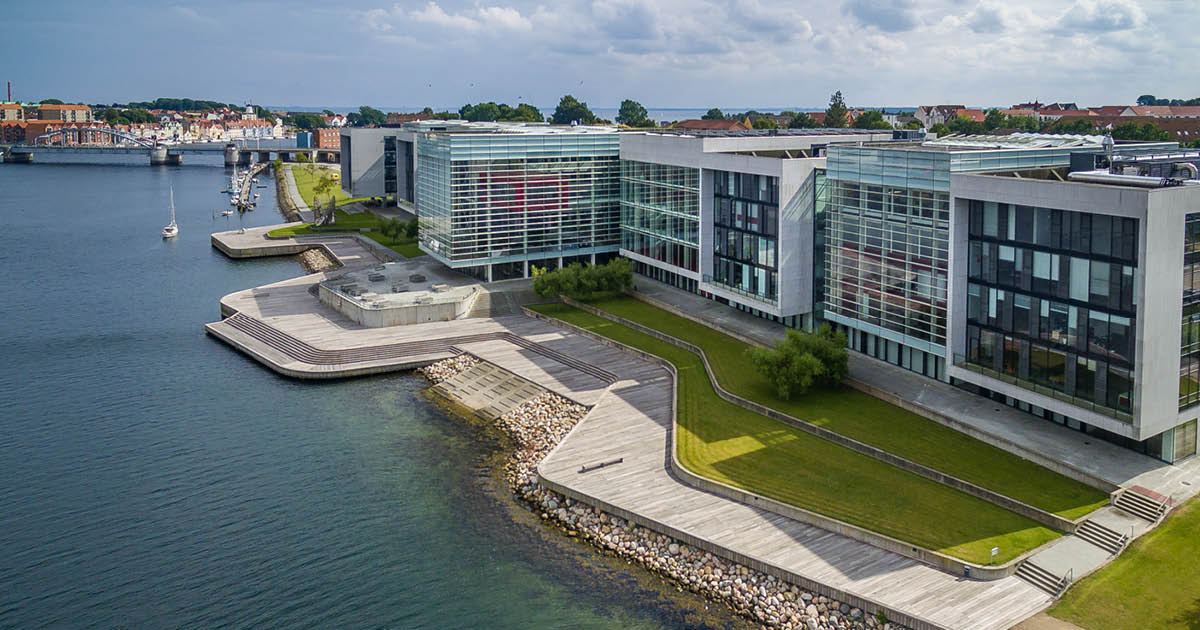
The migration of the SDU data centre from SDU’s campus in Odense to the Danfoss premises in Sønderborg has been completed successfully. The migration was a result of several months of careful planning in close collaboration with the many stakeholders involved. It was scheduled to take place over the course of one week and was completed fully within that timeframe.
More GPU power, simpler access and new possibilities in UCloud
As part of the new setup, UCloud has been upgraded with new features and a more powerful infrastructure. The changes give users better access to modern computing resources, a simpler user experience and new options for working with both applications and virtual machines.
The new system is designed to make it easier for you to get started, while also providing significantly more computing power for demanding tasks such as AI, machine learning, data analysis and advanced HPC workloads.
More GPU capacity
The new UCloud setup significantly increases the available GPU capacity. The platform now includes 128 full NVIDIA B200 GPU cards, which is around three times as many as before. In addition, the new B200 cards are more powerful than the GPU cards they replace.
This means that more GPU resources are available in one place, improving availability across the system and making it easier for users to access the computing power they need.
The NVIDIA B200 is among the most advanced GPU cards currently available and is designed to support the most demanding HPC and AI workloads. Users working with large models, complex computations or data-intensive workflows will therefore have access to more powerful hardware than before.
More affordable GPU access with MIGs
A new option in UCloud is the possibility of using Multi-Instance GPUs (MIGs). With MIGs, a single GPU is divided into smaller, fully isolated GPU instances. This makes it possible to use part of a GPU instead of a full B200 card. One MIG corresponds to 1/7 of a full GPU card.
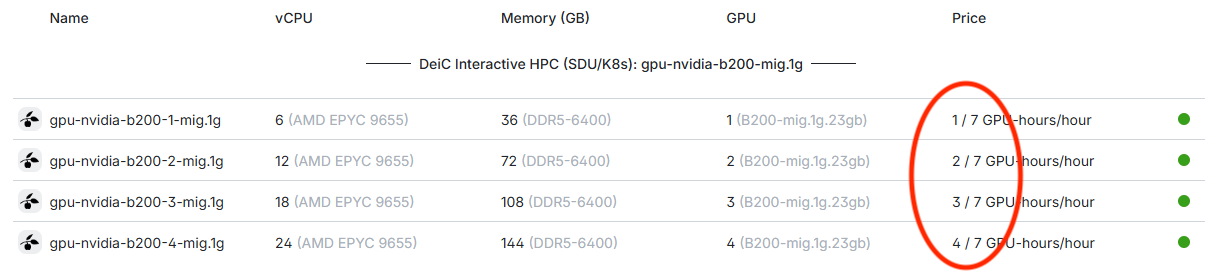
This means that users can access GPU resources for one seventh of the price of a full GPU. For many tasks, this offers an ideal trade-off. If a workload does not require the full power of a B200 GPU, MIG provides access to GPU acceleration at a much lower cost.
This can help users get more out of their budget. By choosing a MIG GPU instead of a full GPU, an allocation can last for more hours, making it possible to run more jobs within the same budget.
At the same time, MIGs helps improve availability across the system. Because several users can share the capacity of a single GPU, more users can access GPU resources at the same time.
A simpler system with one provider
The new UCloud setup is also simpler to use. Instead of choosing between several different providers, most users will now work with just one provider.
This makes the user experience clearer and reduces the amount of technical knowledge required to get started. It becomes easier to understand where to run workloads and which resources to choose.
The new provider setup also means that users work in a secure environment that is approved for handling sensitive data.
For users, this means less time spent understanding the infrastructure and more time spent on their actual research, analysis or development work.
New virtual machine options
UCloud now also includes new virtual machine options. These provide better integration between virtual machines and the other applications available in UCloud.
This makes it easier to combine workflows where some tasks run as applications and others require a virtual machine environment. For users who need more flexibility, custom software setups, higher system privileges, or longer-running environments, the new virtual machine options provide more ways to work in UCloud.
The new virtual machines also support persistent storage. This means that users can pause and resume machines without losing their working environment or stored data.
This provides a more flexible way of working. Users can set up an environment, pause it when they do not need it, and continue from the same point later.
Easier connection between jobs
UCloud also introduces a new way to connect jobs. It is now possible to create a local network between jobs, making it easier for different parts of a workflow to communicate with each other.
Previously, users could be more dependent on the order in which applications were started. With the new local networking option, your jobs can be connected in a more flexible way.
If you have any questions about the new data centre setup or how it affects your work in UCloud, please reach out to your local front office.