
Categories
Interactive HPC UCloud UCloud status

New data centre for UCloud – what does it mean for you? 

A new data centre for UCloud will open soon. As part of the transition, there will be a period of downtime at the end of April/beginning of Mayand – for some users – a need to move data.

The data centre is being established through a collaboration between SDU, Danfoss and Hewlett Packard Enterprise (HPE) and will host the hardware behind DeiC Interactive HPC – UCloud. At the same time, the infrastructure is being upgraded with new and more powerful hardware.

The UCloud infrastructure will therefore be consolidated in a single data centre instead of being distributed between SDU and AAU. The transition may affect you as a user. Here is an overview of what you should be aware of.

Short downtime during the migration

When the system is migrated to the new data centre at the end of April 2026, all services will be temporarily unavailable until the migration is complete. The new data centre is expected to be fully operational in early May 2026. Exact dates and further details are available in the UCloud documentation.

Moving data

If your data are stored in SDU/K8s, they will be moved automatically to the new data centre during the migration. You do not need to take any action.

⚠️ Special note for users with data in Aalborg (AAU) ⚠️

If you have data in AAU/K8s or AAU/VM, they will not be moved automatically. These data must be transferred to SDU/K8s before 27 April 2026, otherwise they will be lost. Please note that transferring data can take time, so it is a good idea to plan accordingly.

Go to the guide on how to move your data.

All compute allocations will expire

As part of the transition to the new system, all existing compute allocations will expire on 30 April 2026. This happens automatically as part of the migration to the new infrastructure.

Procedures may vary between universities

The procedure for new allocations on the new data centre is determined by your university, and the allocation of compute resources is handled by the university’s local DeiC front office.

If you are unsure about the procedure, we therefore recommend contacting your local DeiC front office.

For further information, important dates and the timeline, see UCloud’s documentation.

More computing power – and a simpler system to use

In the new data centre, UCloud will receive new and more powerful hardware, giving researchers better opportunities to work with large datasets, advanced computations and AI.

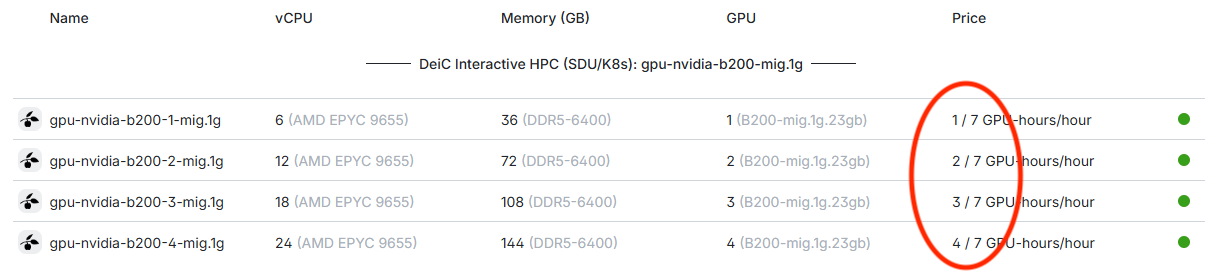
At the same time, it will become easier to choose the right resources. Where several different machine types were previously available, users will now simply choose between two types of compute:

  • CPU – for standard computations
  • GPU – for tasks such as AI and advanced data processing

This simpler structure makes it quicker and clearer to apply for and use computing power, allowing researchers to focus more on their analyses and less on technical choices.

The new data centre has also been designed with a focus on energy-efficient operation. In collaboration with Danfoss and HPE, advanced cooling and heat recovery systems are used that make it possible to reuse excess heat and reduce energy consumption.

The initiative forms part of ProjectZero in Sønderborg, which is working to make the area’s energy system CO₂-neutral by 2029.

Read more about the new data centre here:

Categories
Interactive HPC UCloud UCloud status

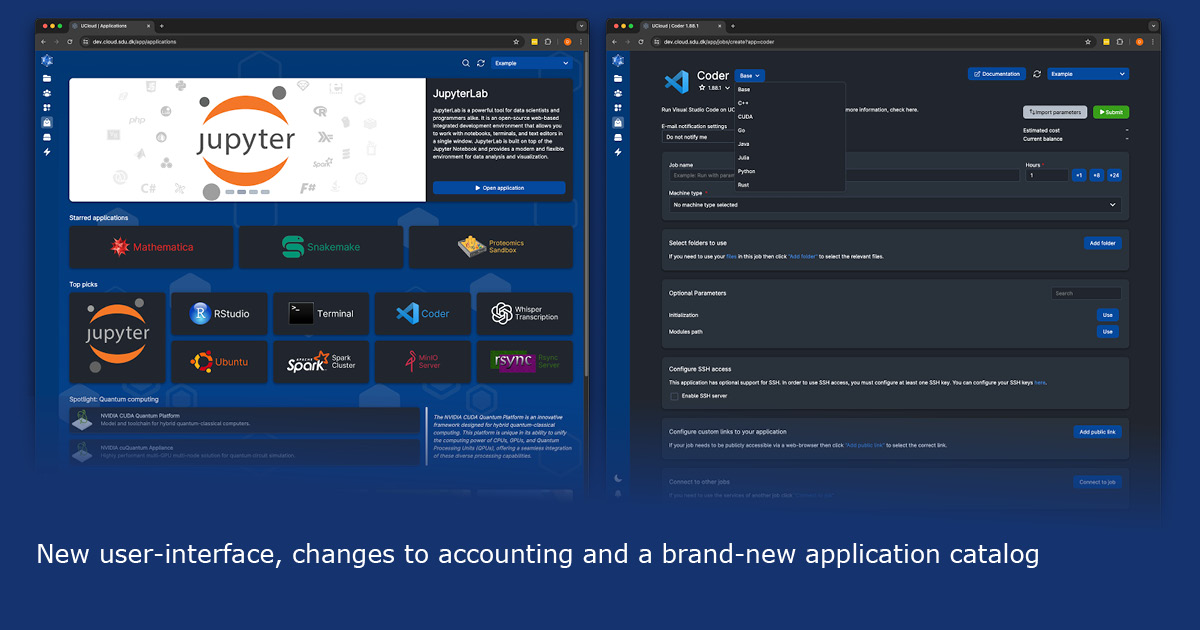
New UCloud User Interface 

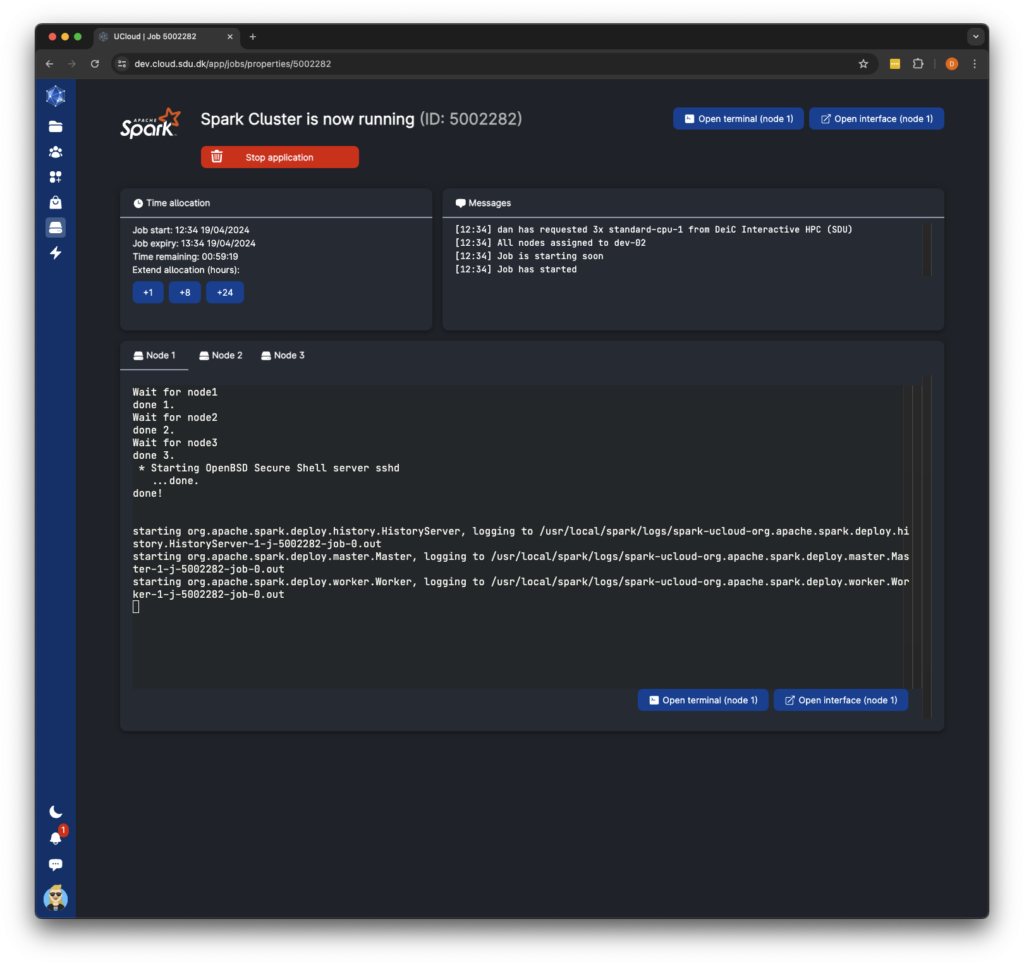
DeiC Interactive HPC is excited to roll out the new User Interface on the UCloud platform, designed to simplify processes and enhance the user experience. The updated interface, serving 10,000 users (and growing), signifies the dedication to delivering an easy-to-use interface that provides researchers with access to advanced interactive computing power, along with comprehensive data analysis and visualisation tools.

The launch of this new user interface marks a significant overhaul. Our team has meticulously redesigned every aspect, from its overall look-and-feel to the functionality of each page. Our primary objective has been to create an enhanced platform for users. We’re excited to see how researchers will benefit from the improved efficiency and usability when engaging with the platform,” says Dan Sebastian Thrane, Special Consultant at the eScience Center, University of Southern Denmark (SDU), and leader of the cloud team, which has been responsible for the development and implementation of the UI update.

Key changes of the new user interface include:

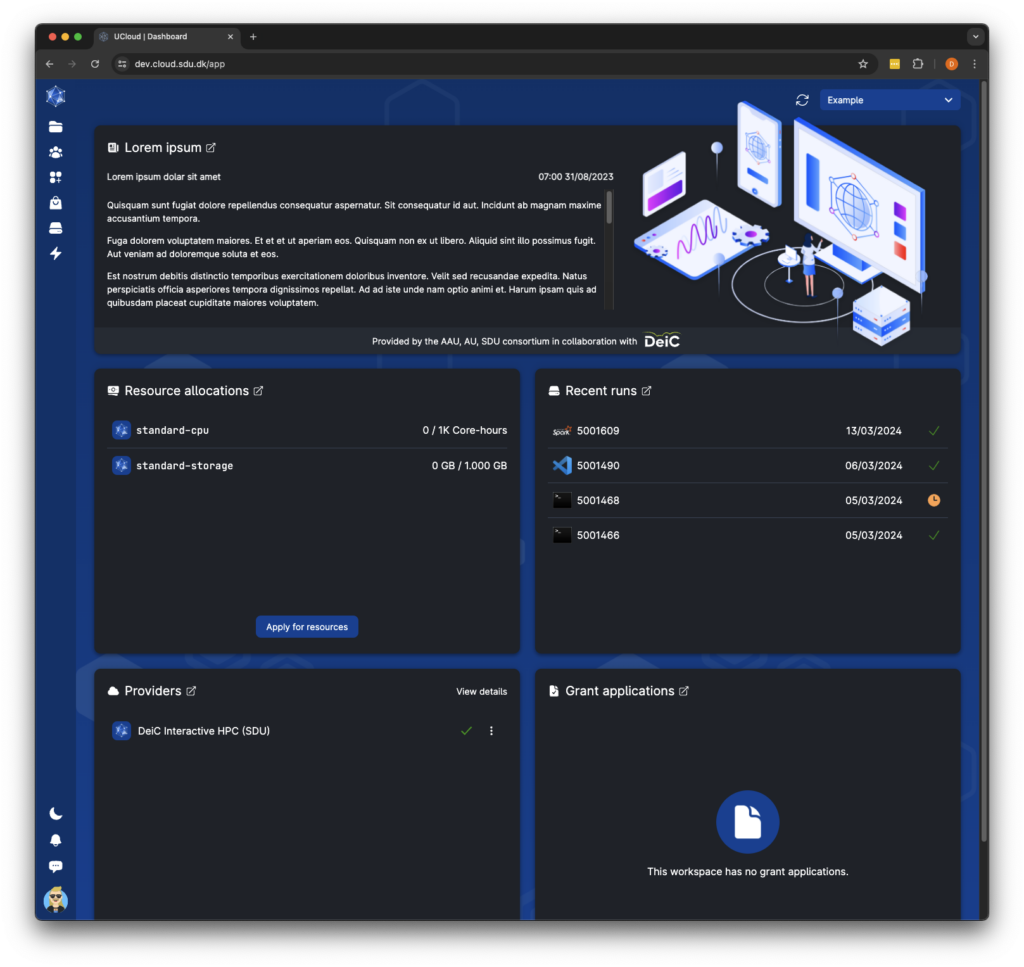
  1. Restructured dashboard layout to prioritize important information.
  2. Redesigned application catalogue with improved discoverability features.
  3. Improved space utilization with keyboard control, infinite scroll and better performance.
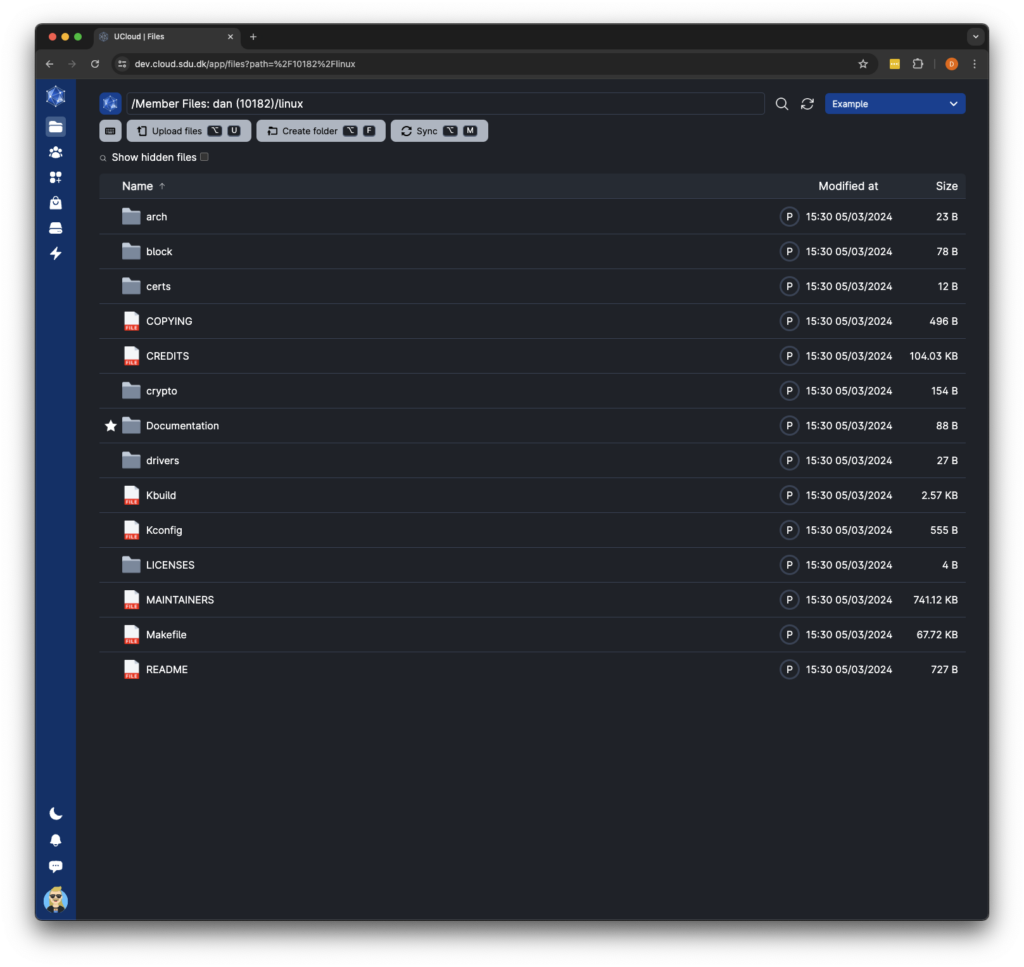
  4. File management now includes drag-select, drag-and-drop, and copy-paste for quicker access, along with a location bar for easy navigation.
  5. New two-level sidebar navigation replaces the top navigation bar, making it easier to find and access sub-pages within specific categories.
  6. Streamlined resource allocations integrate sub-projects, simplifying creation and management. The interface has been redesigned for improved organization and efficiency.
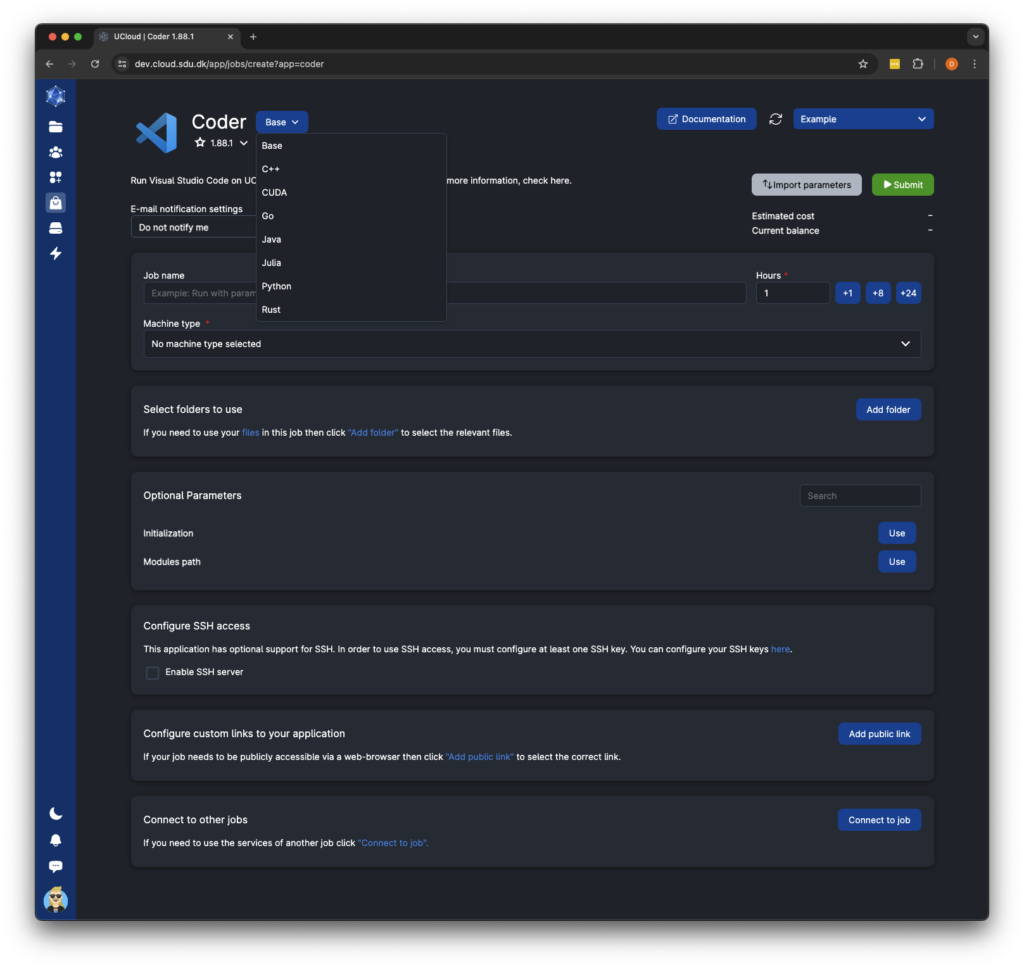
  7. Job submission enhancements allow users to switch between different app flavors and receive notifications for job status changes.

The updated interface reflects extensive research and meticulous examination of every aspect of the user interface, with the goal of addressing common pain points and improving both the overall layout and user experience. Designed with a focus on simplicity, efficiency, and consistency, the new interface aims to empower users while maintaining the core workflow on UCloud. This ensures that researchers can seamlessly manage their data and run applications as they normally would. 

All these enhancements mark a significant step forward in optimising the digital infrastructure and is available by May 14th 2024. For further details about the new user-interface, changes to accounting and a brand-new application catalog, visit UCloud.

Files
Categories
Interactive HPC Supercomputing Tutorial UCloud UCloud status

No More Waiting for Resources

Streamline your workflow when using DeiC Interactive HPC

Have you ever experienced delays due to high demand for computing resources on UCloud (DeiC Interactive HPC)? The key to faster access and reducing system strain is efficient resource management.

Over-requesting can lead to unnecessary waiting because DeiC Interactive HPC operates by allocating resources to users as the requested resources become available, without the use of priority queues. Consequently, if you select a large machine for a relatively small task, you will need to wait for other tasks requested for these larger but fewer machines to finish, leading to prolonged waiting.

“Users with little or no experience in assessing the amounts of resources needed have a tendency to request more than they actually need.  This causes unnecessary queues and frustration for other users. However, we also see experienced users choosing the large machines simply out of habit instead of starting small, and subsequently migrate to a larger machine only when necessary.”

Jes Elgin, Cloud Engineer at DeiC Interactive HPC

To avoid delays, users need to accurately assess and request only the necessary resources for their task. Starting with conservative estimates can expedite access and improve overall system efficiency.

“Choosing small will always give you a head start as there are more small machines, and you can always upgrade to a large machine if you need it. You don’t have to start over, and you won’t lose any data.”

Jes Elgin, Cloud Engineer at DeiC Interactive HPC

So, choose your machine based on a qualified estimate of resources needed. If unsure start small and seek advice from experienced colleagues or the DeiC Front Office.

For optimal use of interactive HPC and to enhance your research, consult our guide on Interactive HPC Best Practices.

Categories
Interactive HPC Supercomputing UCloud UCloud status

Another milestone – 8000 users on DeiC Interactive HPC

Interactive HPC hits another milestone: There are now more than 8000 users! This is an increase of 1000 users during less than 3 months!

The activity on the platform has been sky-high during the past few weeks – possibly amplified by the many researchers who praised the platform and inspired others at the DeiC conference on the 7-8th of November.

Check out the story and read more about why the platform is so succesful at SDU eScience.

Categories
UCloud UCloud status

Dec 4th. planned upgrade of the DeiC Interactive HPC infrastructure

On Monday, December 4th, we are performing a major upgrade to UCloud’s infrastructure. This means that the system will be down for most of the day. Go to the SDU eScience Center news page for more information on the update.

Categories
Interactive HPC Supercomputing UCloud UCloud status

Interactive HPC reaches 7000 users

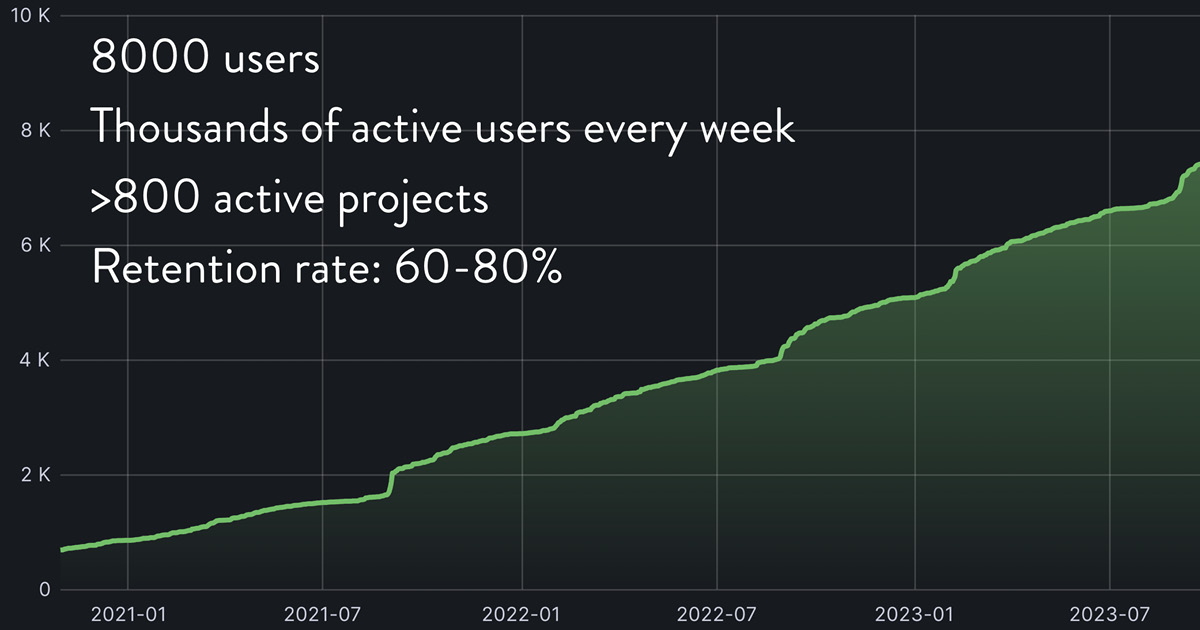
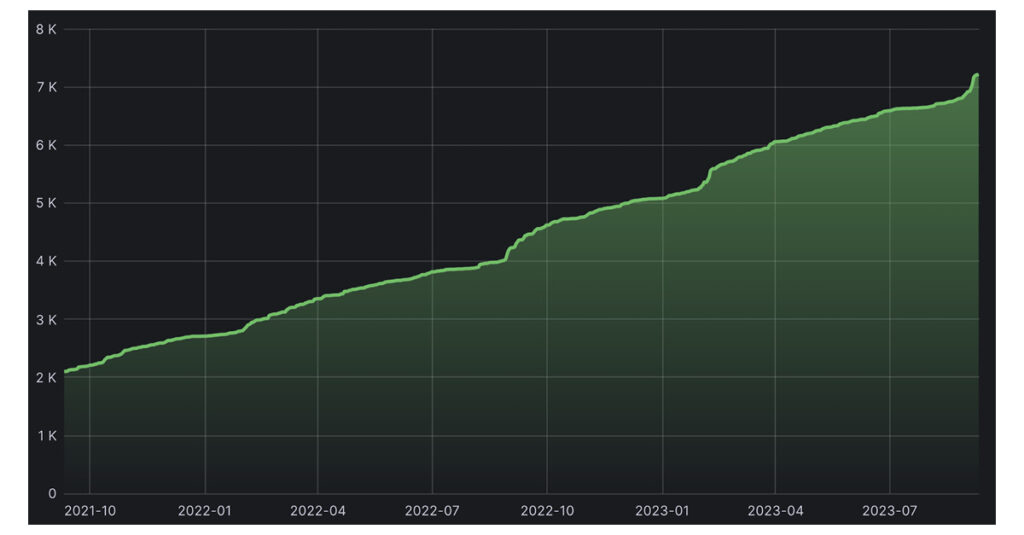
What an accomplishment after less than 3 years of running the DeiC Interactive HPC service – there are now more than 7000 users on UCloud!

And not only that – we are seeing an increase in the number of active users per quarter.

Graph: the number of users on UCloud. UCloud has been used as the basis of the national HPC service, DeiC Interactive HPC, since November 2020. DeiC Interactive HPC is provided by a consortium of universities consisting of Aalborg University, Aarhus University and the University of Southern Denmark.

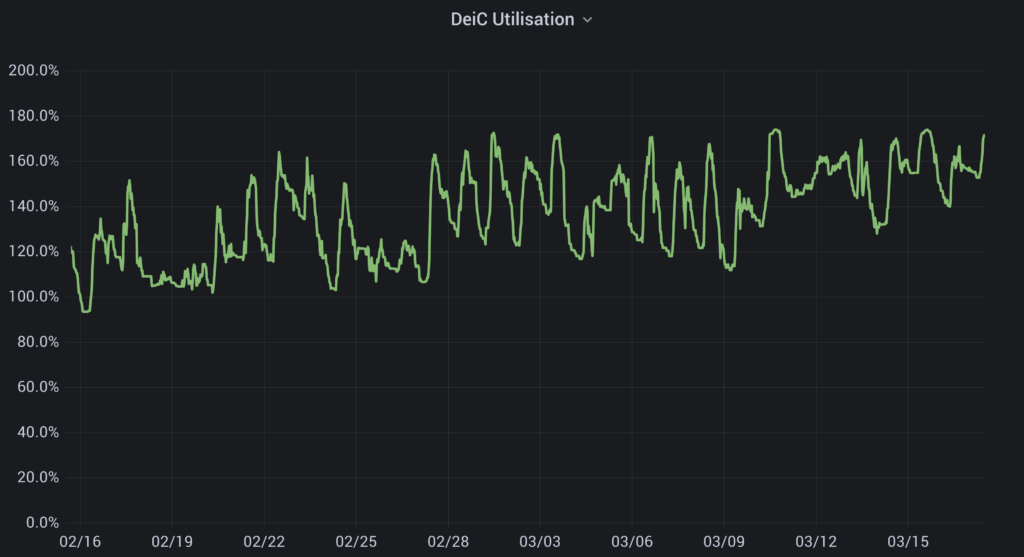
With so many users, we are also experiencing an extremely high utilization of the service. Over the last 6 months the average utilization was above 85%, with a peak utilization during working hours of more than 170 % of the total national capacity. 

“The DeiC Interactive HPC has been an incredible success among Danish researchers and students, to the extent that it is now one of the most popular HPC services in Europe, despite being a relatively small infrastructure. This innovative DeiC service has succeeded in democratizing HPC among all research disciplines, including humanities and social sciences. It has also been a very popular platform for teachers at universities, who now use it every year as part of their courses.”

Director of the SDU eScience Center, Prof. Claudio Pica.

“The surge in demand is a testament to the growing importance of interactive HPC in the national research ecosystem. It’s not just about capacity, but about making high-performance computing accessible and relevant to every field of study.”

Professor Kristoffer Laigaard Nielbo, head of Center for Humanities Computing, Aarhus University

“We are incredibly proud of DeiC interactive HPC’s success and we are excited for the future possibilities and perspectives.”

Lars Sørensen, Head of Digitalization, Aalborg University

This year, new hardware will be added to the service to accommodate the growing interest for GPU computing, which are highly requested amongst the DeiC Interactive HPC users. The new machines, which will be added both to the AAU and SDU datacenters, include compute nodes with 4 NVIDIA H100. This will have a significant impact on advancing research in Denmark.

This update was originally posted by the SDU eScience Center.

Categories
Interactive HPC Supercomputing Tutorial UCloud UCloud status

New way to use SSH for accessing apps on Interactive HPC 

One minute! 

That’s how long it took to set up the new SSH access to DeiC Interactive HPC applications. 

If SSH is of interest to you, you probably know that DeiC Interactive HPC applications have recently experienced limitations in providing a reliable and scalable solution for accessing their services using Secure Shell Protocol (SSH).

The challenges were attributed to a limited number of available IP addresses from the common pool on their platform, along with the implementation of a more scalable solution. The latter proved to be burdensome, as acquiring multiple new IP addresses would not provide the scalability required.
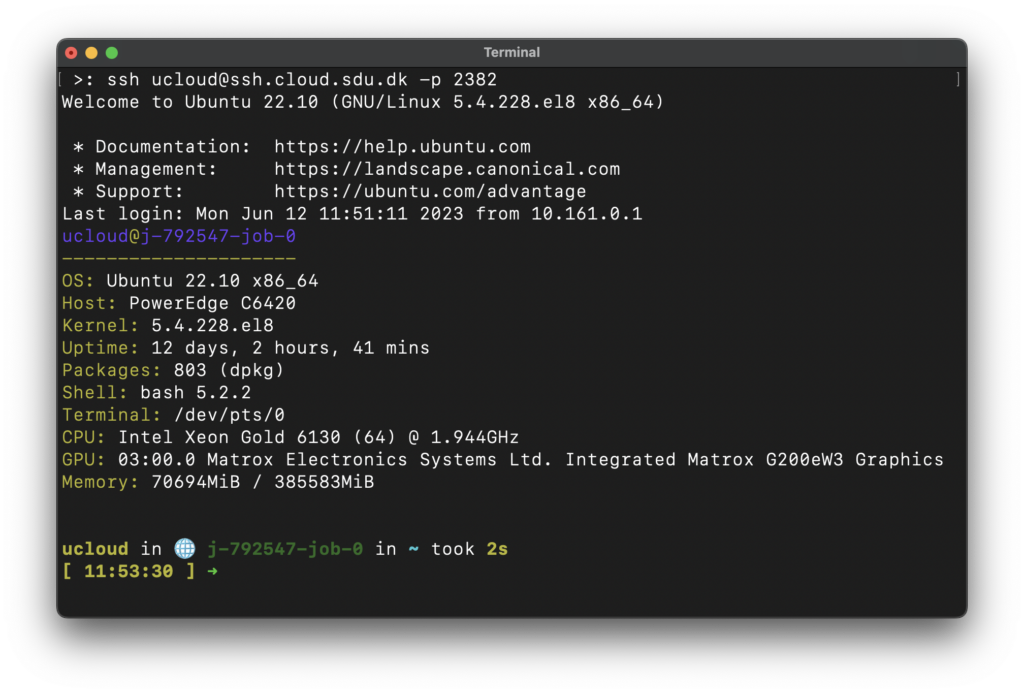
However, DeiC Interactive HPC has launched a new solution for Secure Shell Protocol access that eliminates the need for multiple IP addresses. This new solution is based on ports which are much more scalable. Therefore, users can now access DeiC Interactive HPC applications using SSH with ease.

To access this new solution, users only need to create a private/public key or use an existing one and add the public key to their account at Interactive HPC. Then select one of the supported applications and follow the documentation. Supported applications include AlmaLinux Xfce vJun2023, Rsync v3.2.7, Terminal Ubuntu vJun2023, Terminal Debian vJun2023, Terminal AlmaLinux vJun2023, Ubuntu Xfce vJun2023, and JupyterLab v4.0.2. Soon to be added to this list are RStudio and all the Coder applications.

With this new solution in place, users can now enjoy pure command-line bliss without any limitations or challenges:

Categories
Interactive HPC Supercomputing UCloud UCloud status

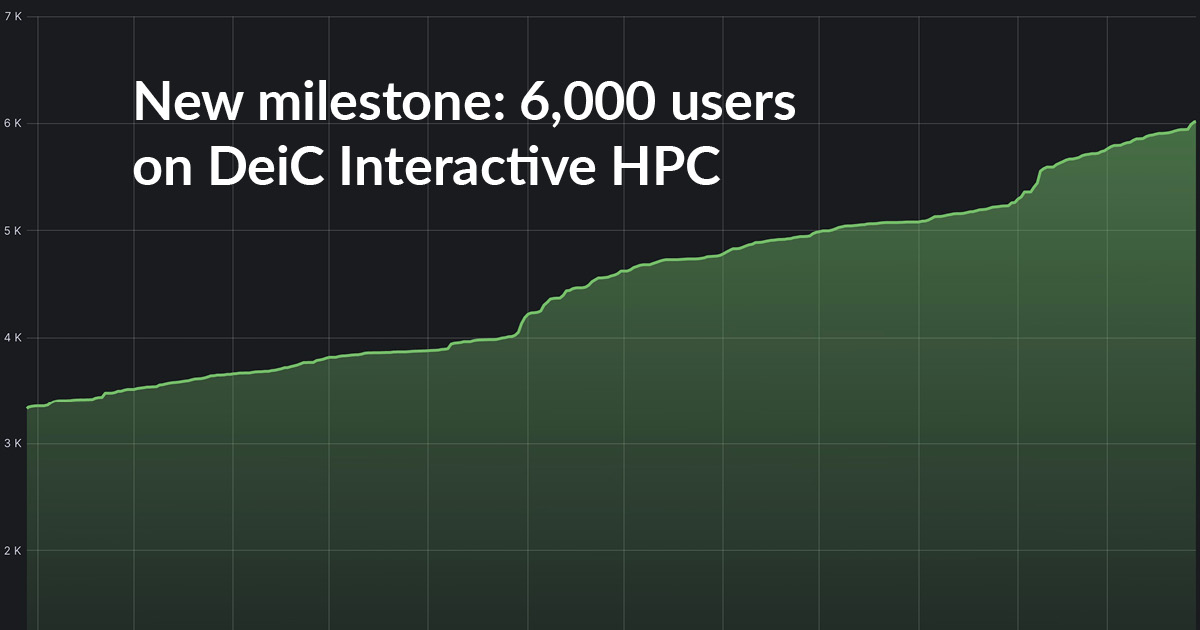
New milestone as DeiC Interactive HPC reaches 6,000 users

Recently, the DeiC Interactive HPC consortium (which consists of Aarhus University, Aalborg University and the University of Southern Denmark) posted a news story about the user overload on the service. This is an issue arising from the very positive fact that the popularity of the DeiC Interactive HPC service is increasing, but it also has the unfortunate effect that some users are now experiencing longer waiting time on the machines than usual.

Needless to say, however, the DeiC Interactive HPC consortium is immensely proud of the success of the service – and now it can also announce that the UCloud platform, which is used to provide the DeiC Interactive HPC service, has passed 6,000 users. So many users on a service which has only been operational for 2,5 years is a great achievement.

“Overall, we’re seeing an increase in the number of new users at nearly all the 8 universities in Denmark. One significant factor for the past few months is that the number of users from Copenhagen University, which has not been using the facility extensively so far, is now increasing at a steady pace. This is both great news, but also a warning sign for us, as KU is a big university and we will need to be prepared to accommodate even more users in the future.”

Prof. Claudio Pica, director of the SDU eScience Center and DeiC Interactive HPC Consortium representative

Another factor, which causes significant spikes in the number of new users at the start of every semester, is the number of students who log on the service because the UCloud software is used as part of their courses.

The consortium is working hard to add more hardware to the DeiC Interactive HPC service to alleviate the current periods of overload. In the meantime, you can find a number of tips for how to avoid overload issues here.

This update was originally posted by the SDU eScience Center.

Categories
Interactive HPC UCloud UCloud status

The cost of success – user overload on DeiC Interactive HPC


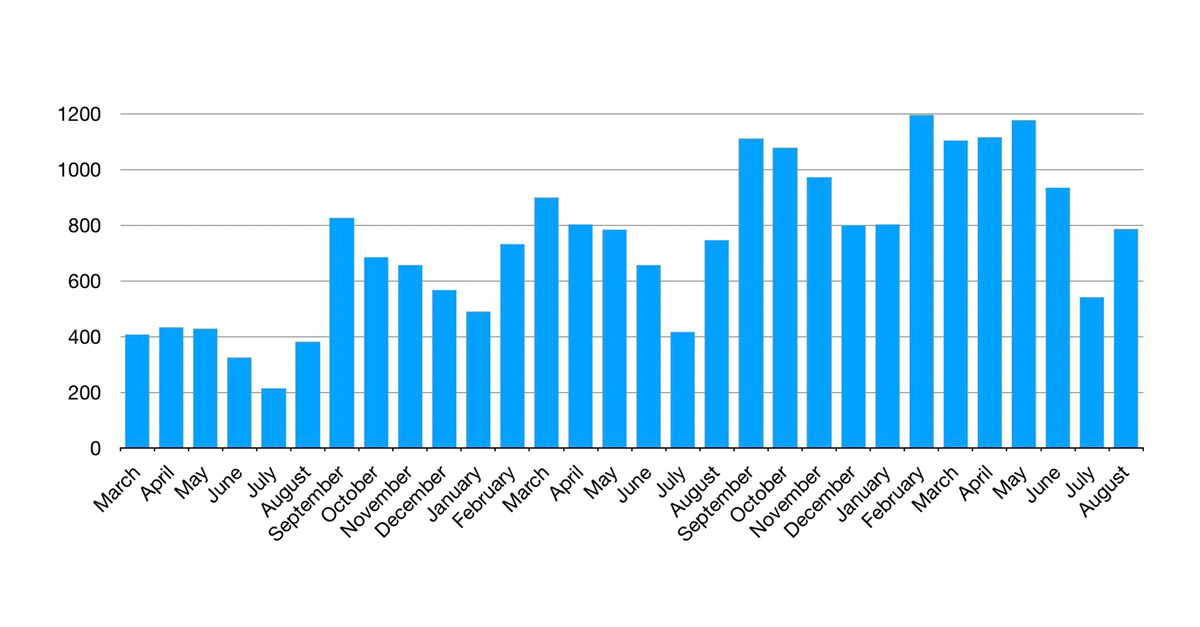
While there was never any doubt that DeiC Interactive HPC would be a success, the popularity of the HPC facility has taken the Interactive HPC consortium a little by surprise. The two-year old system reached no less than 5000 users back in December, and while every milestone is celebrated the rapid success also comes with a price. 

We’re seeing an average rise in users of 1000 each quarter and we’re very proud of the success. However, with an average utilisation of 135% of resources for containerised applications, we’re also experiencing issues with user overload recurring more and more frequently as more users join.

DeiC Interactive HPC Consortium representative, Professor Kristoffer Nielbo, Center for Humanities Computing, Aarhus University

Additional hardware would solve most of the issues but adding more hardware is a time-consuming process, and in the meantime the consortium behind Interactive HPC is working on other solutions to ensure the best user experience. 

We are currently working on making operational status available to users to allow them to see when user overload is causing issues and plan their work differently accordingly. The part of Interactive HPC running on SDU already has a solution underway, and the part of the system located at AAU will follow as soon as possible.

Professor Kristoffer Nielbo

However, users can also actively do things to avoid the user overload issues. The DeiC Interactive HPC consortium recommends that; Small users should make sure they only use the resources they need; medium users are asked to consider whether their work could be done on other HPC systems; and large users should apply for resources via the national calls.  

Applying for national resources may not fix the problem right now but by doing so researchers indicate that there is a need for additional hardware for Interactive HPC, and this can help speed up the expansion process.

Professor Kristoffer Nielbo

The consortium also recommends using the new DeiC Integration portal when it makes sense. The portal integrates multiple national HPC systems and allows for users to seamlessly shift to other facilities clearing up space for users whose only option is Interactive HPC.  

The consortium will continue work on solving any issues and ensure that necessary resources are available because there’s no doubt that interactive HPC is here to stay as a favourite HPC resource for researchers.

Categories
Interactive HPC Supercomputing UCloud UCloud status Uncategorized

DeiC Interactive HPC reaches 4.000 users on UCloud

We’re approaching the end of the second year with DeiC Interactive HPC – and there are now 4000 users on UCloud!

During the first year with DeiC Interactive HPC, UCloud reached more than 2000 users. We’re glad that the interest in the platform has continued to grow throughout the second year.

Go to SDU eScience for full story